

Yesterday I already reported on how Windows file servers can be protected against ransomware such as Cryptolocker, Cryptwall or Locky using the „Resource Manager for File Servers“. protect.
The following comment was made on the article:
Hello Frank,
great contribution!
Is there a trick how to intercept the user and possibly only deny the user access to the share/s?
Then the server would not have to be taken off the network and other users could continue working.Greetings
Chonta
First of all, thank you for the good idea and to answer the question: Yes, it is possible, albeit in a roundabout way, but it is possible.
In the following way, it is possible with Server 2012 R2:
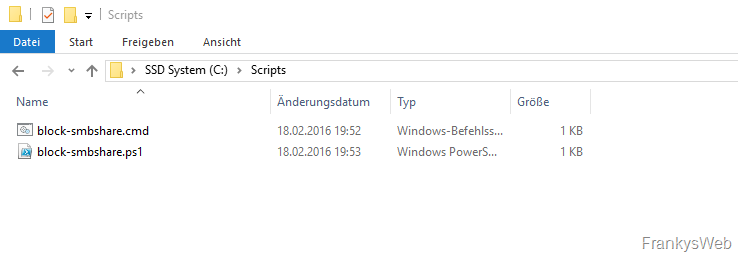
First download the following ZIP archive and extract the two scripts it contains to c:\Scripts (or another folder)


If a folder other than c:\Scripts was selected, the paths in the two scripts must be adjusted accordingly.
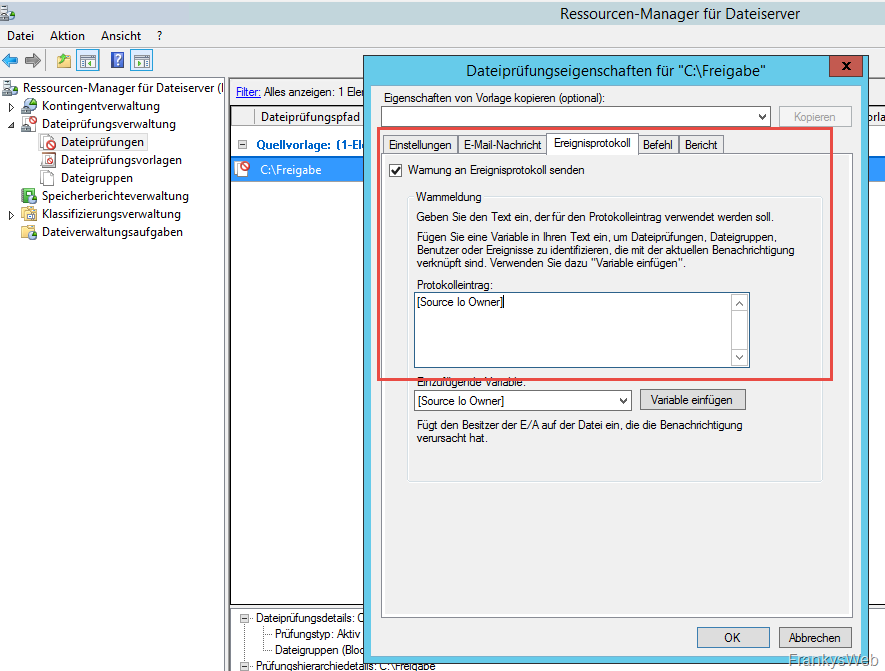
You can now activate the sending of warnings to the event log in the file check properties:
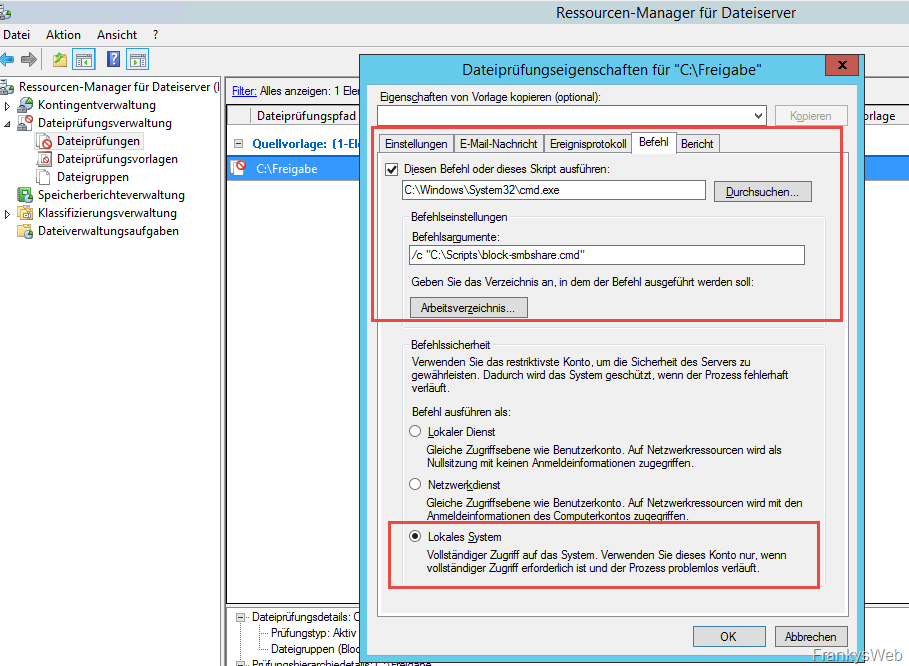
The CMD file is then stored on the „Command“ tab as follows:
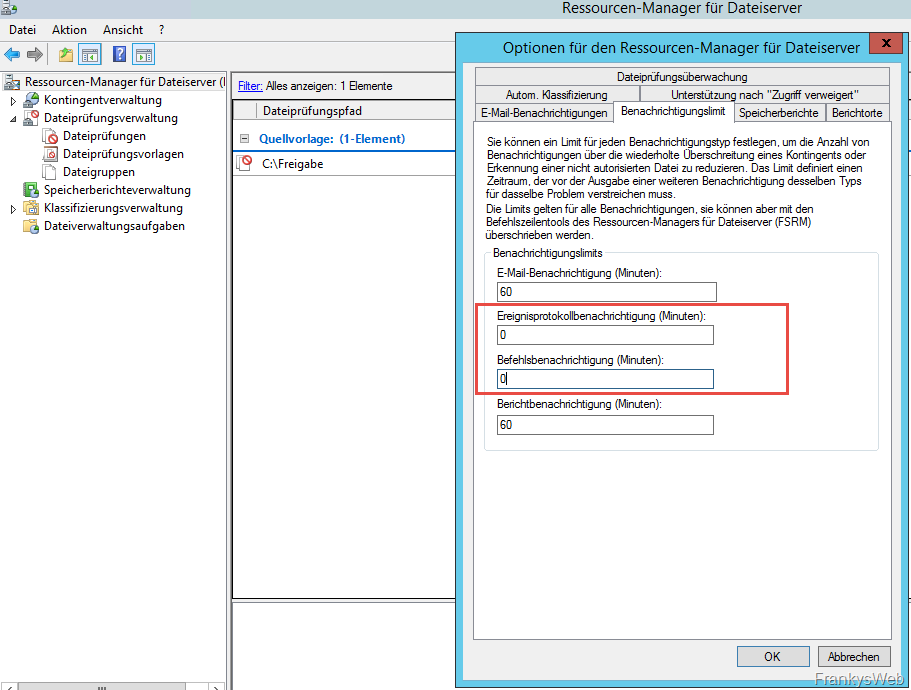
The limits for event log notifications and command notifications are now removed in the Resource Manager options
The mode of operation is now as follows:
If a user (or the Trojan) creates a file with the blocked extension on the network drive, the Resource Manager generates the event with the ID 8215 in the event log:
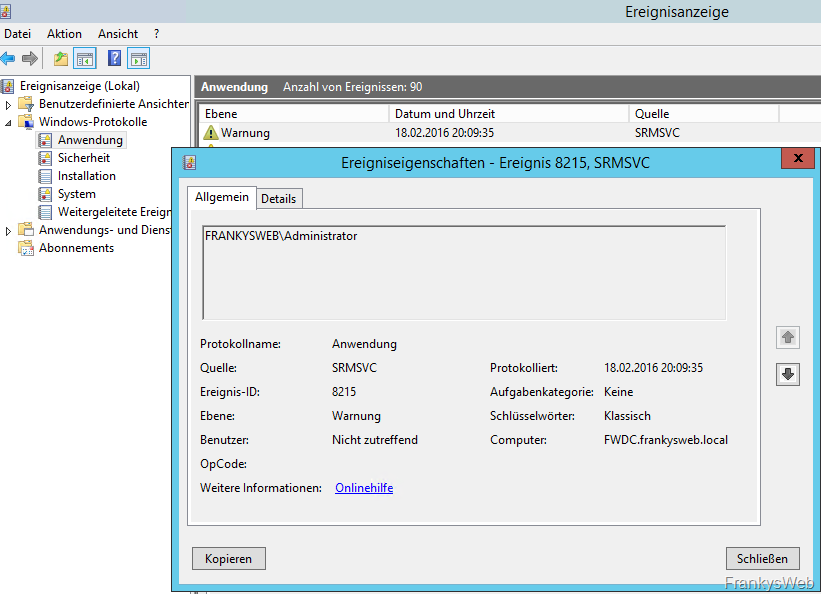
In addition, the script „block-smbshare.cmd“ is started, which is only used to start the PowerShell script „block-smbshare.ps1“. I had to take the detour via the CMD file, as otherwise the UAC would always interfere.
The PowerShell script now retrieves the user account that tried to encrypt a file or create a blocked file from the event log. The user is then denied access to the respective share:
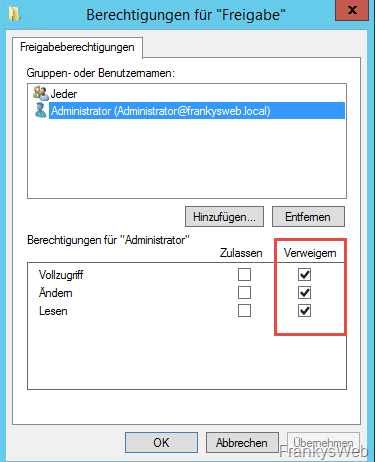
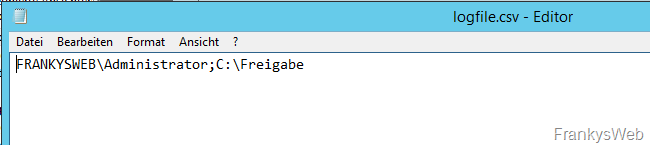
In this case, it was the „Administrator“ user. A CSV file containing the user and the path to the share is created in the Scripts folder so that it can later be traced on which shares the user was blocked:
The scripts can of course also be further customized, for example I have built into the PowerShell script that the server is shut down if more than 50 events occur from different users, because that would mean a wildfire.
It would also be conceivable to block the AD account by means of the user name, but this does not work immediately and, if the worst comes to the worst, haste is required.