High Volume E-Mail (HVE) is an Exchange Online service that supports the sending of bulk mails and is not subject to the limits of a normal user mailbox. High Volume E-Mail is currently still in the public preview, but can already be used free of charge as part of the Exchange Online or Microsoft 365 subscription, a license for the HVE account is not required. With HVE, internal mass emails can easily be sent directly via the Microsoft servers without the need for third-party email services or a self-hosted SMTP relay.
Although the send limits for HVE are significantly higher than for normal Exchange Online mailboxes, there are of course still restrictions to ensure that HVE is not used for SPAM. There is currently a limit of 2000 external recipients per day in the High Volume E-Mail Public Preview, so HVE is not suitable for large newsletters to external recipients, but rather for mass mails for your own users, for example from CRM systems.
An HVE account can send 100,000 mails per day, 20 HVE accounts are possible per organization. For example, the CRM system can use a different HVE account than the printer and scanner.
For the use of HVE, the Entra ID Security Defaults must be switched off, as otherwise standard authentication via SMTP is not possible.
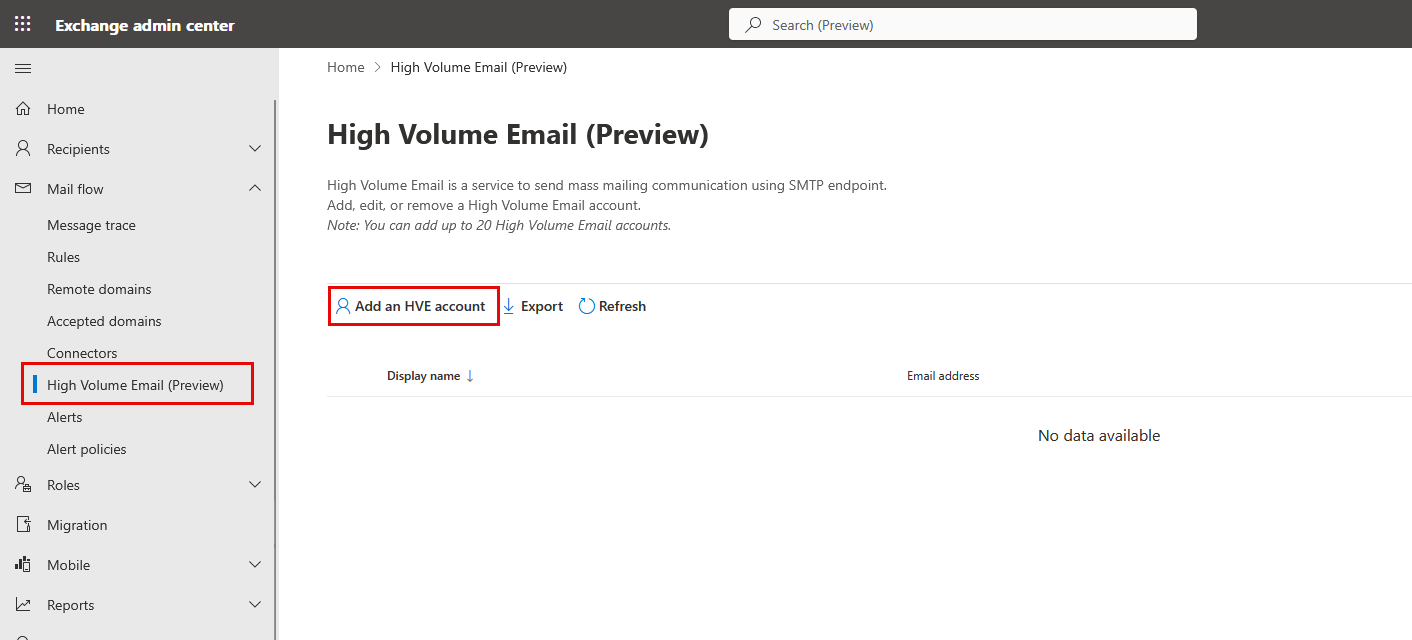
In order to use the High Volume E-Mail service, an account must first be created. The account can be created in the Exchange Online Admin Center:
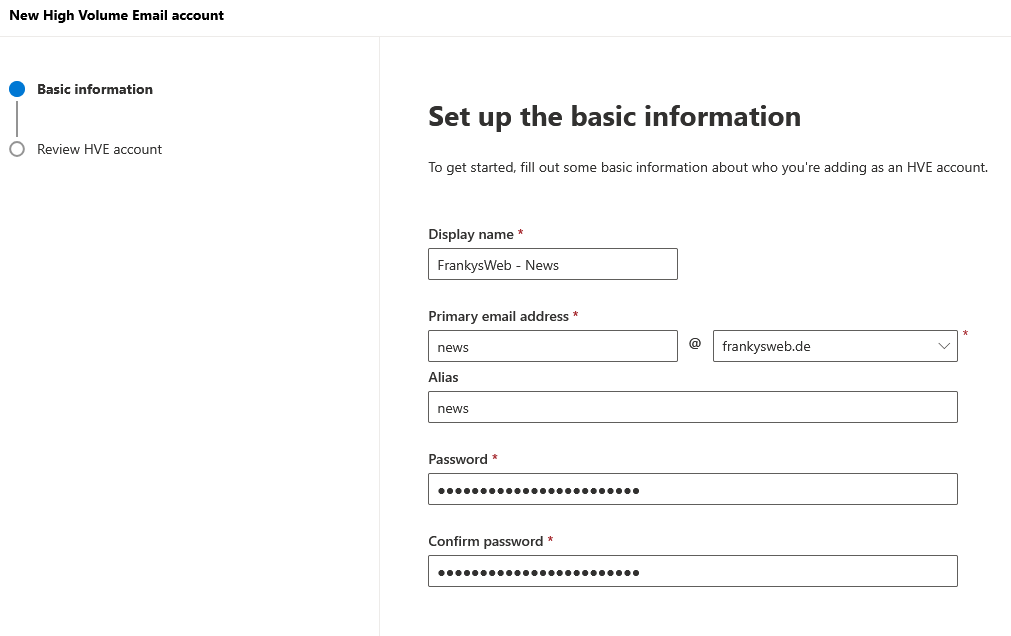
Only the display name, e-mail address, alias and password need to be entered for the account:
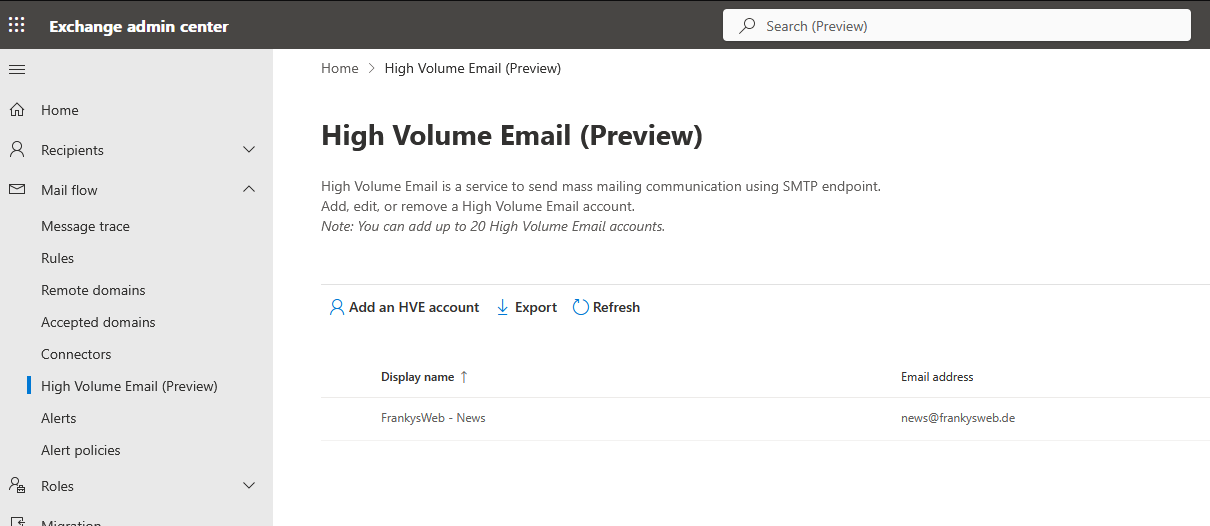
According to the current status (21.03.2025), 20 accounts can be created per organization:
Once the HVE account has been created, a client can be set up for use. The following settings are relevant for HVE:
- SMTP server: smtp-hve.office365.com
- SMTP Port: 587
- Encryption: TLS
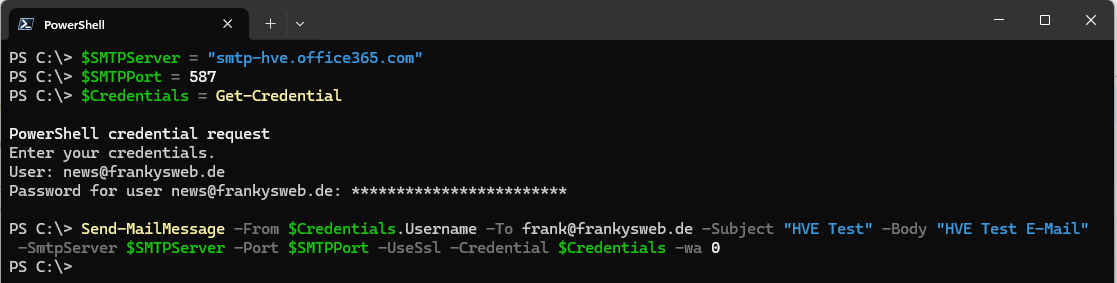
With the PowerShell you can test the e-mail dispatch via HVE account with the following small script:
$SMTPServer = "smtp-hve.office365.com"
$SMTPPort = 587
$Credentials = Get-Credential
Send-MailMessage -From $Credentials.Username -To testempfaenger@testdomain.de -Subject "HVE Test" -Body "HVE Test E-Mail" -SmtpServer $SMTPServer -Port $SMTPPort -UseSsl -Credential $Credentials
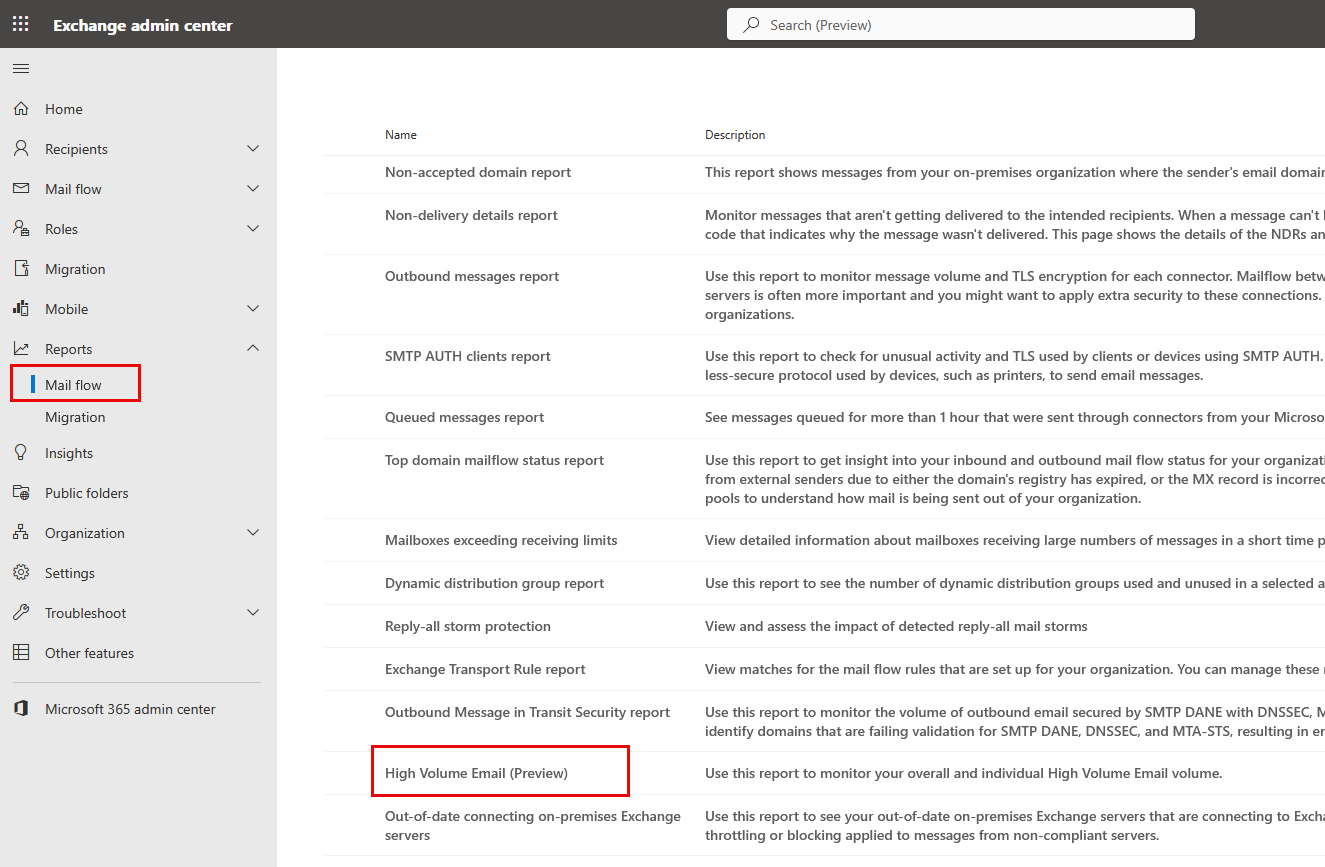
The usage data can be viewed in the „High Volume Email“ report:
By the way, I use HVE as a relay for my internal servers and devices, including a UniFi Cloud Gateway Ultra, but there is a bug in the SMTP settings in the email settings of the UCG. A solution can be found in this thread in the UniFi Forum:
If security defaults are enabled in the Entra ID, login via SMTP is disabled and the following error occurs when trying to send a mail:
535 5.7.139 Authentication unsuccessful, the organization configuration does not allow this authentication request
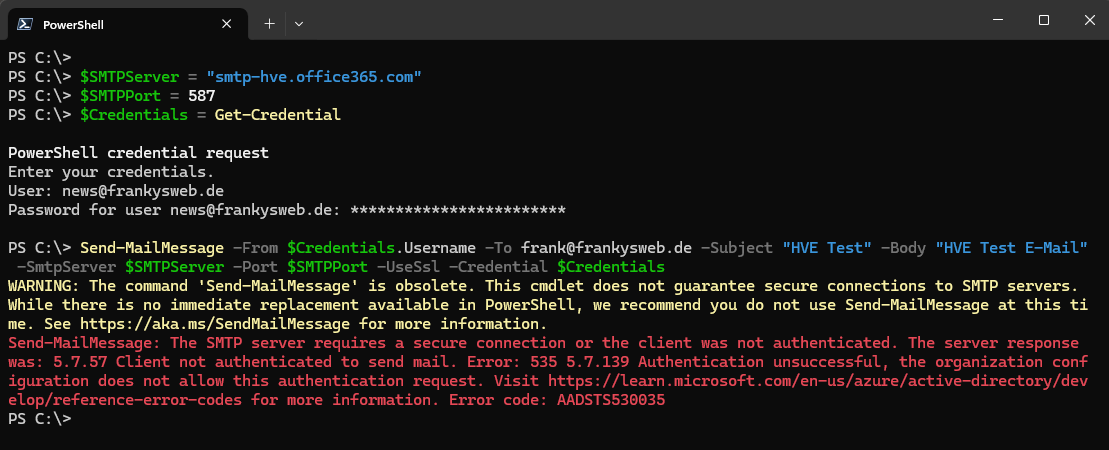
Unfortunately, it then only helps to switch off the security defaults and wait a few minutes. The e-mail can then be sent.
So richtig sinnvoll ist das aber auch nur, wenn man immer nur einen Absender braucht. Die Verwendung von „beliebigen“ Mailadressen ist mit HVE leider nicht möglich. Und überall send on behalf oder send as zu setzen ist ja auch eher suboptimal.
Ich würde gerne Webseiten Formulare und MFPs aller Kunden umstellen.
Jedoch eine Frechheit, dass MS noch keine Preispolitik mitgeteilt hat.
mimimi? Nicht Informiert? Microsoft entfernt den kostenlosen Service ab dem 15. April 2025. Admins müssen dann eine kostenpflichtige Lizenz (z. B. Exchange Online Plan 1) für diese Benutzer zuweisen. Von daher klar kommuniziert :/
Hast du eine Quellangabe?