

In a previous article I have already described how the free Let's Encrypt certificates can be requested using PowerShell and assigned to the Exchange services.
I am currently working on automating the entire process from requesting the Let's Encrypt certificate to automatic renewal with PowerShell. The goal is a fire-and-forget script for the Exchange certificates, let's see if it works.
In the article linked at the beginning, requesting a certificate via Let's Encrypt already worked. However, the certificates are only valid for 3 months and must therefore be replaced regularly.
I have now tested renewing the certificate using the following script:
Import modules ACMESharp
Import-Modules Webadministration
Add-PSSnapin *exchange*

$PFXPassword = Get-Random -Minimum 1000000 -Maximum 9999999

$CurrentCertThumbprint = (Get-ChildItem -Path IIS:SSLBindings | where {$_.port -match "443" -and $_.IPAddress -match "0.0.0.0" } | select Thumbprint).Thumbprint
$ExchangeCertificate = Get-ExchangeCertificate -Thumbprint $CurrentCertThumbprint
$ExchangeSANs = ($ExchangeCertificate.CertificateDomains).Address
$ExchangeSubject = $ExchangeCertificate.Subject.Replace("CN=","")

if ($ExchangeSANs -notcontains $ExchangeSubject) {$ExchangeSANs += $ExchangeSubject}

$ExchangeSANs

$ExchangeSANID = 1
foreach ($ExchangeSAN in $ExchangeSANs)
 {
  $CurrentDate = get-date -format ddMMyyyy
  $ACMEAlias = "Cert" + "$CurrentDate" + "-" + "$ExchangeSANID"
  $ExchangeSANID++

  write-host "New Identifier:"
  New-ACMEIdentifier -Dns $ExchangeSAN -Alias $ACMEAlias
  write-host "Complete Challenge:"
  Complete-ACMEChallenge $ACMEAlias -ChallengeType http-01 -Handler iis -HandlerParameters @{ WebSiteRef = 'Default Web Site' }
  [Array]$ACMEAliasArray += $ACMEAlias
  if ($ExchangeSAN -match $ExchangeSubject) {$ExchangeSubjectAlias = $ACMEAlias}
 }

foreach ($ACMEAlias in $ACMEAliasArray)
 {
  write-host "Submit Challange:"
  Submit-ACMEChallenge $ACMEAlias -ChallengeType http-01
 }

sleep -seconds 30

foreach ($ACMEAlias in $ACMEAliasArray)
 {
  write-host "Update:"
  Update-ACMEIdentifier $ACMEAlias
 }

$SANAlias = "SAN" + "$CurrentDate"
New-ACMECertificate $ExchangeSubjectAlias -Generate -AlternativeIdentifierRefs $ACMEAliasArray -Alias $SANAlias
Submit-ACMECertificate $SANAlias

sleep -seconds 30

Update-ACMECertificate $SANAlias

$CertPath = "$env:temp" + "\" + "$SANAlias" + ".pfx"
Get-ACMECertificate $SANAlias -ExportPkcs12 $CertPath -CertificatePassword $PFXPassword

$ImportPassword = ConvertTo-SecureString -String $PFXPassword -Force -AsPlainText
Import-ExchangeCertificate -FileName $CertPath -FriendlyName $ExchangeSubject -Password $ImportPassword -PrivateKeyExportable:$true | Enable-ExchangeCertificate -Services "SMTP, IMAP, POP, IIS" -force
This script was only used for testing, it does not yet contain any error handling, documentation or similar. The good news: The replacement of the existing Let's Encrypt certificate worked. Here are two screenshots of the script:
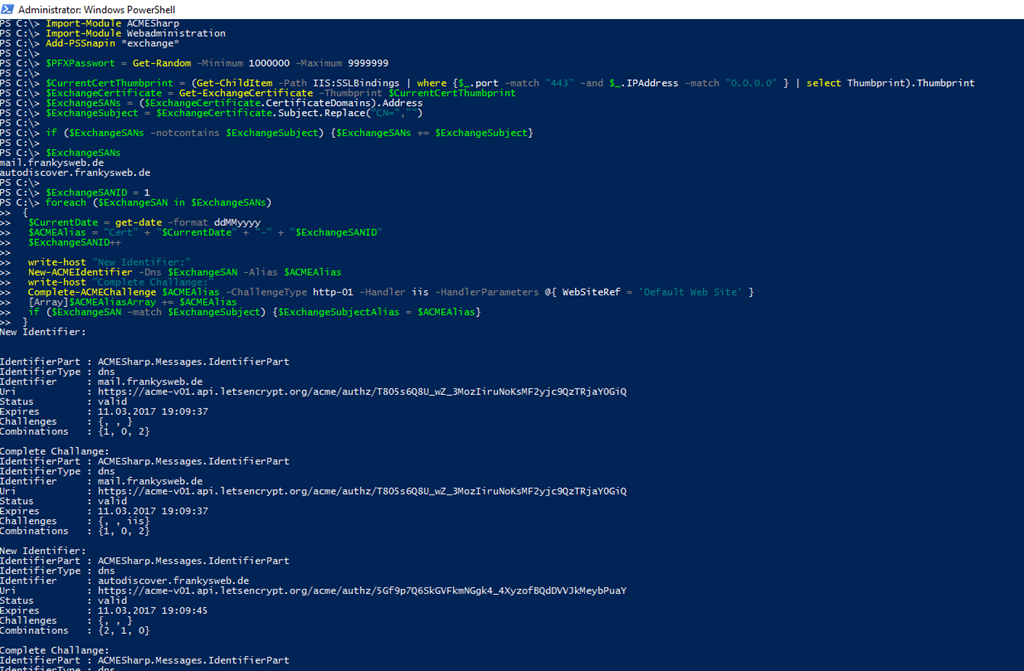
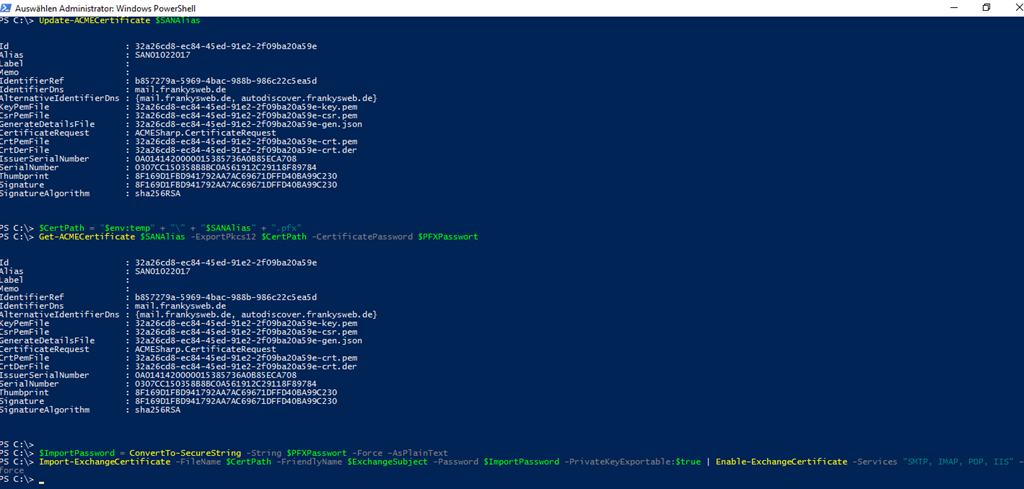
I ran the PowerShell as administrator and used the test environment with the original certificate to test the renewal process.
So two important building blocks for the fire-and-forget script are already basically working. But it will still take some time before the tool is ready...