

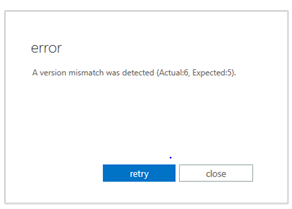
During the migration from Exchange 2013 to Exchange 2016, the following error (version mismatch) may occur when moving user mailboxes from Exchange 2013 to Exchange 2016:
A version mismatch was detected (Actual:6, Expected:5)
The following message then appears in the Exchange 2013 server log:
2017-04-23T20:37:21.432Z,6,Default,Error,“,“, “RegisterMigrationBatch failed, exception at Microsoft.Exchange.Migration.MigrationServiceHelper.SafeInvokeImplMethod(Action method, MigrationServiceRpcMethodCode methodCode) at Microsoft.Exchange.Migration.MigrationNotificationRpcSkeleton.RegisterMigrationBatch(IMigrationNotification implementation, MdbefPropertyCollection inputArgs)|A version mismatch was detected (Actual:6, Expected:5).|Microsoft.Exchange.Transport.Sync.Migration.Rpc.MigrationServiceRpcException|The RPC call failed with result ‚MigrationTransientError‘.|“
The problem can be solved by first moving a system mailbox with the name "Migration" from Exchange 2013 to the Exchange 2016 server. The mailbox can be displayed with the following command:
get-mailbox Migration* -Arbitration

The „Microsoft Exchange Migration“ system mailbox can simply be moved to a database on the Exchange 2016 server in the Exchange Admin Center:
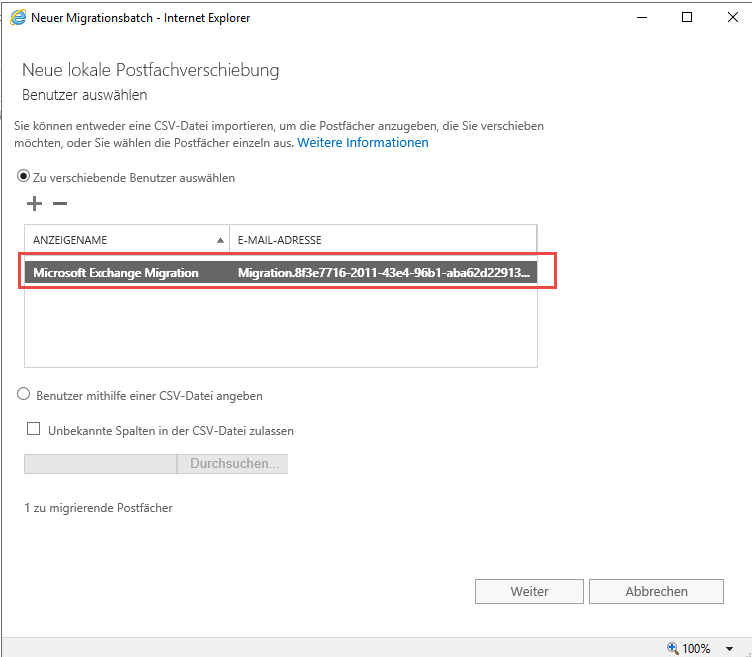
After the system mailbox has been moved, the users' mailboxes can be moved. As soon as the mailbox has been moved to an Exchange 2016 database, the version number is adjusted accordingly:
Get-Mailbox Migration* -Arbitration | ft Name,AdminDisplayVersion

If the version 15.1 is displayed, the mailbox has been moved correctly and the version has been raised. The “Version mismatch” error no longer occurs when moving user mailboxes. In principle, the „Microsoft Exchange Migration“ system mailbox should be the first mailbox to be moved to the new Exchange Server.