

Address book policies can be used to present customized address books to users. This can be useful if you want to include several companies in an Exchange organization, but do not want users from company A to be able to see all users from company B. Address book policies and customized address books can also be useful for multiple locations.
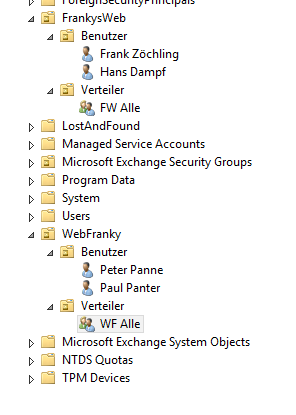
Let's assume we have 2 companies but only one Exchange server. The companies are called „FrankysWeb“ and „WebFranky“, each company has users and distribution lists:
Without address book guidelines, the address book looks something like this:
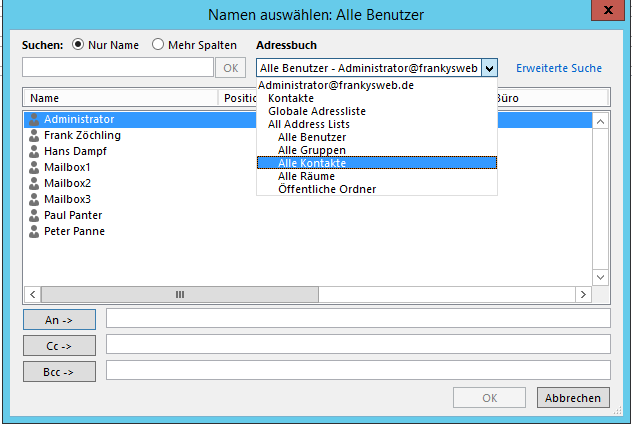
Each user can see all mailboxes and also view further details, such as photo, address, telephone number, if the information is maintained, for security or for reasons of clarity, separate address books can now be generated.
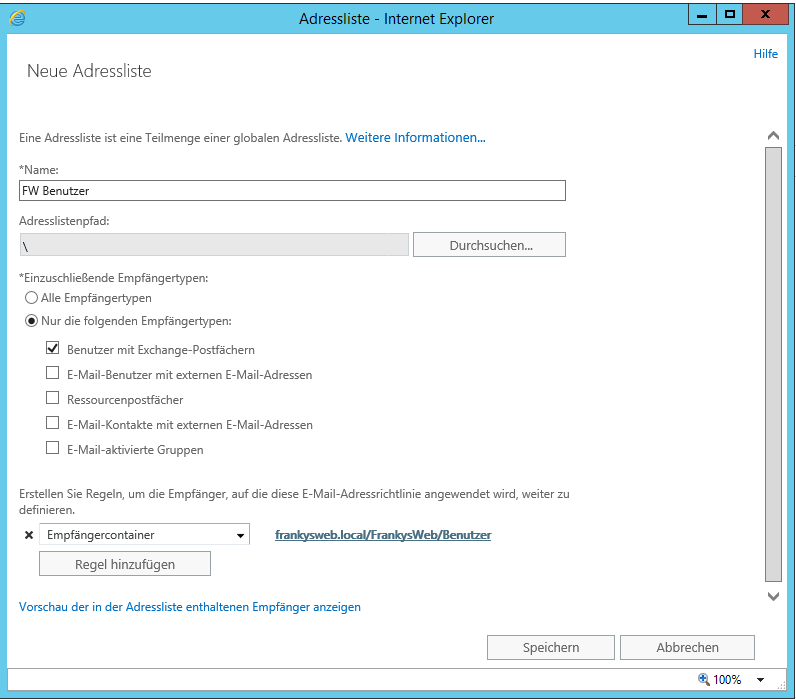
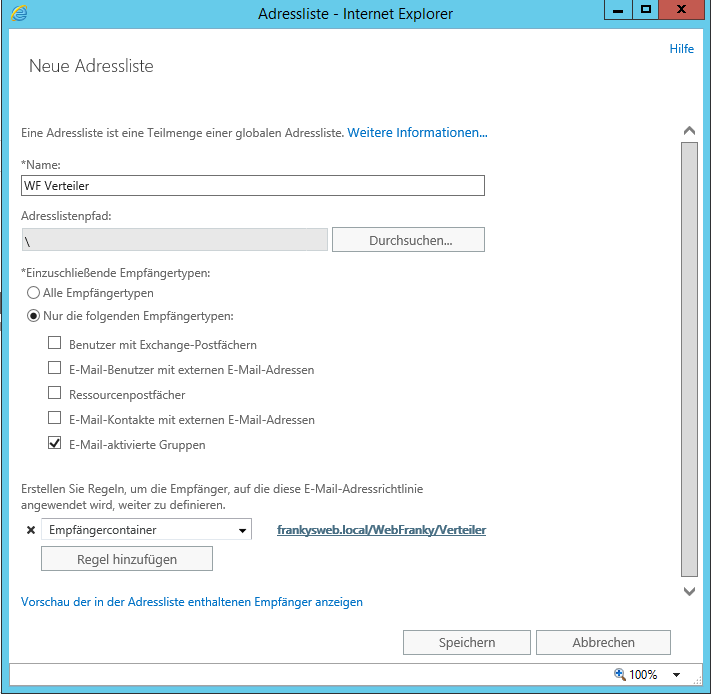
To separate the address lists, address lists are first created for the two companies. In this example, I create 6 address lists (FW users, FW distributors, FW rooms, WF users, WF rooms and WF distributors). The address lists are filtered to the respective OUs as shown in the screenshot. Here is an example of the „FW users“ list:
and here for WF distributors:
Additional lists can of course be created as required.
Next, a new global address list is created, but this only works with the shell:
New-GlobalAddressList "FW GAL" -RecipientContainer "frankysweb.local/FrankysWeb" -IncludedRecipients AllRecipients
New-GlobalAddressList "WF GAL" -RecipientContainer "frankysweb.local/WebFranky"-IncludedRecipients AllRecipients
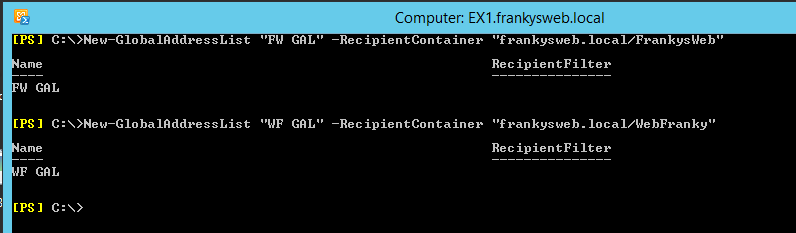
Now the offline address books are still missing:
New-OfflineAddressBook "FW OAB" -AddressLists "FW GAL"
New-OfflineAddressBook "WF OAB" -AddressLists "WF GAL"
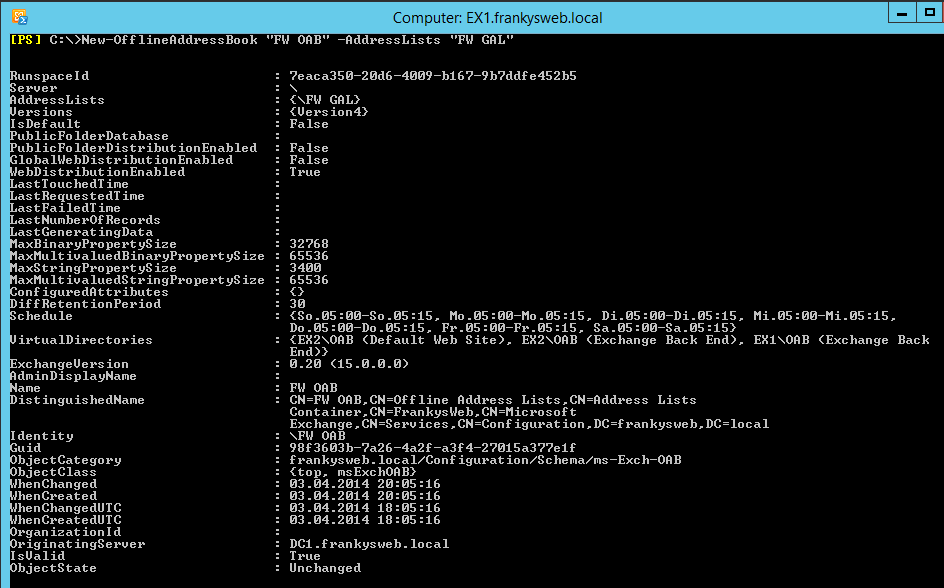
The address book policy can now be created. The policy is assigned the address lists that it is to contain.
New-AddressBookPolicy -Name "FW ABP" -AddressLists "FW Benutzer", "FW Verteiler" -OfflineAddressBook "\FW OAB" -GlobalAddressList "\FW GAL" -RoomList "\FW Raeume"
New-AddressBookPolicy -Name "WF ABP" -AddressLists "WF User", "WF Distributor" -OfflineAddressBook "\WF OAB" -GlobalAddressList "\WF GAL" -RoomList "\WF Rooms"

and last but not least, only the address guidelines need to be assigned to the mailboxes.
Get-Mailbox -OrganizationalUnit "frankysweb.local/Frankysweb" | Set-Mailbox -AddressBookPolicy "FW ABP"
Get-Mailbox -OrganizationalUnit "frankysweb.local/WebFranky" | Set-Mailbox -AddressBookPolicy "WF ABP"

Now we have two separate companies that only see their own address lists:
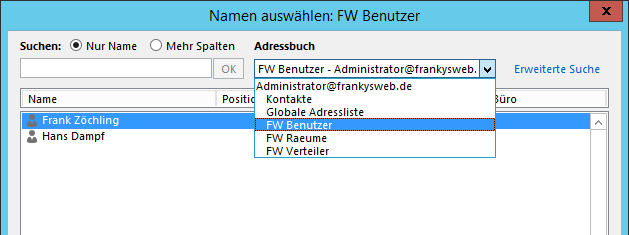
In this way, you can also bring order to the address books, for example if there are several locations. You could configure the address books so that users only see mailboxes and distribution lists at their location and the mailboxes at the head office, but not address books from other locations.