

Exchange Server 2013 (and also Exchange 2010) provides a function to influence the behavior of standard CMDlets.
In this small example, the scripting agent is used to deactivate OWA, OWA for devices and ActiveSync for all newly created mailboxes. In the default setting, these mailbox functions are activated, which may not always be desired. However, a few steps are necessary to activate the Scripting Agent and thus adjust the behavior of standard CMDlets:
The Scripting Agent is configured using an XML file, which must be present on every Exchange server. An example file is already available in the Exchange installation folder:
C:\Program Files\Microsoft\Exchange Server\V15\Bin\CmdletExtensionAgents
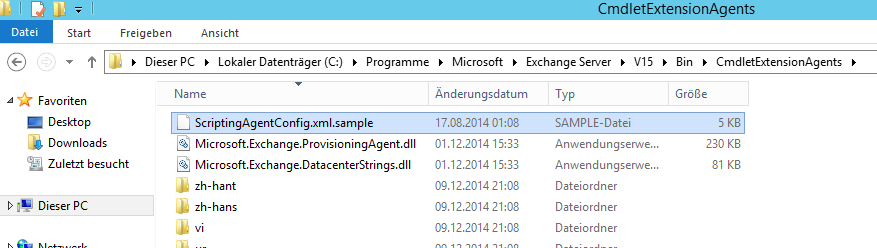
The file „ScriptingAgentConfig.xml.sample“ can be used as a template by simply removing the „.sample“. This step must be carried out on every Exchange Server. Each Exchange server therefore receives the same „ScriptingAgentConfig.xml“ file:
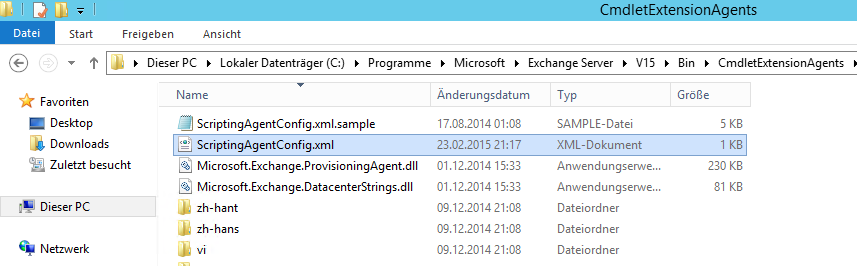
For this example, the „ScriptingAgentConfig.xml“ file has the following content:
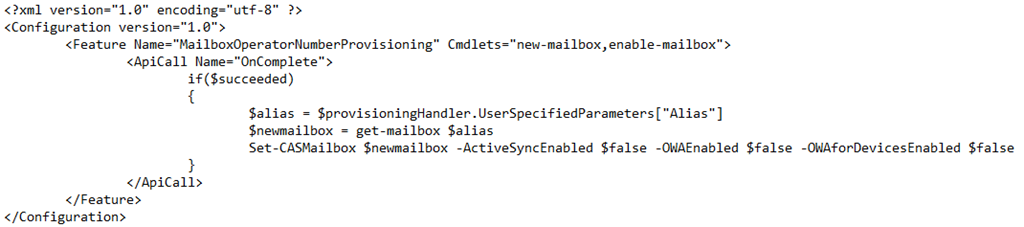
You can also download the file here:


As can be seen in the example file, the XML file contains some PowerShell code, which in this case is executed when the CMDLet „new-mailbox“ or „enable-mailbox“ has been successfully completed. The part within the IF statement then retrieves the alias of the mailbox that was edited and deactivates the corresponding mailbox features.
As soon as the XML file has been placed on the Exchange servers, the scripting agent must be activated:
Enable-CmdletExtensionAgent "Scripting Agent"
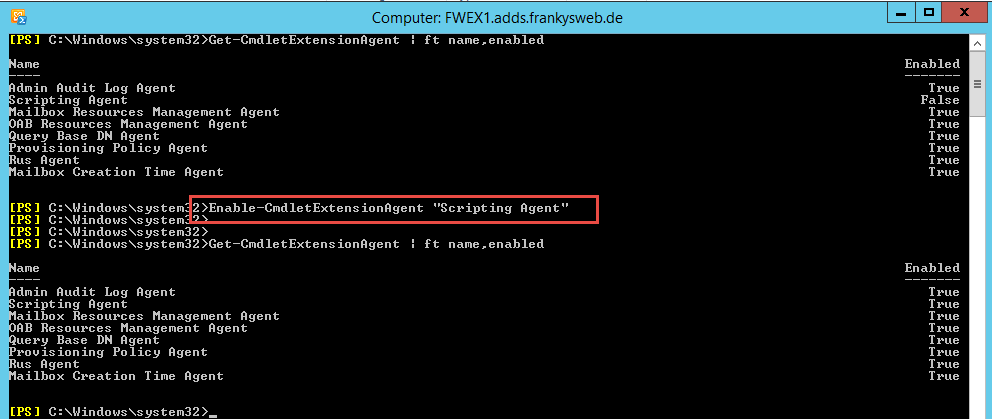
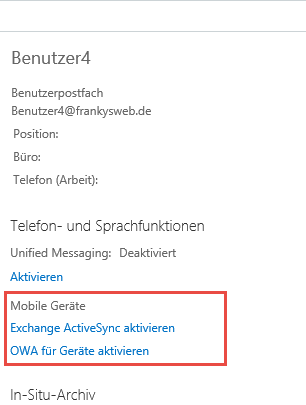
Mailboxes that are created from now on no longer have ActiveSync, OWA and OWA for devices activated
Other scenarios can also be implemented by making a few adjustments to the XML file. Switching on UC or audit, setting mailbox authorizations, calendar settings, or even an OWA signature, many things are conceivable.
The sample file on the Exchange servers is also well commented so that you can quickly find the relevant instructions.